
TL;DR
Muse builds the app and floo hosts it. Setup takes one API key.
- Sign up for floo, set up payment, and copy your API key.
- Ask Muse to read getfloo.com/agents.md and set you up on floo, then describe the app.
- Paste the key into Muse's floo connector when it asks. Muse builds, floo runs it, and you keep chatting to update it.
Who does what?
| Step | You | Muse | floo |
|---|---|---|---|
| Account and key | Sign up, set up payment, copy the API key | Issues the key | |
| Connect | Paste the key into Muse's floo connector | Stores it in its secret store | |
| Build | Describe the app | Writes the code and deploys it | Hosts the repository and runs the app |
| Use | Open the app in the browser | Reads and updates it through its API | Handles sign-in, the database, and the API |
Step 1: Get a floo API key
Sign up at getfloo.com and set up payment. Copy your API key from the welcome page, or create one under API keys at app.getfloo.com/settings. Keep it handy for step 3.
Step 2: Ask Muse to set you up
Start your message with the setup line, then describe what you want:
read https://getfloo.com/agents.md and set me up on floo

Then build me a tool to keep track of our coffee inventory.
Call it Roastery Inventory. I'll look at it in the browser.
You'll update it and answer questions for me through its API.

Here's this week's count:
Product, bags on hand, bags sold per week
Ethiopia Guji, 52, 28
Colombia Huila, 64, 21
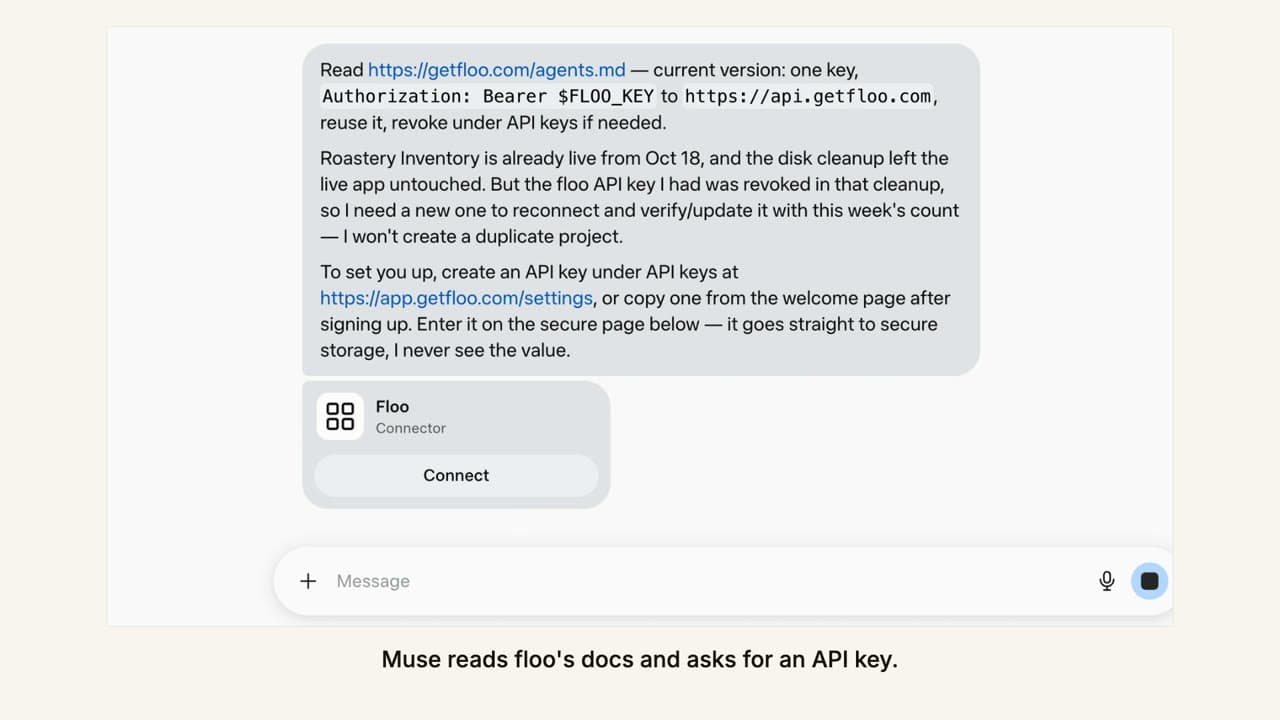
Muse reads floo's docs first, so it follows the current instructions rather than what it remembers.
Step 3: Connect your key
Muse asks for your floo API key and shows a connector card for floo. Click Connect.
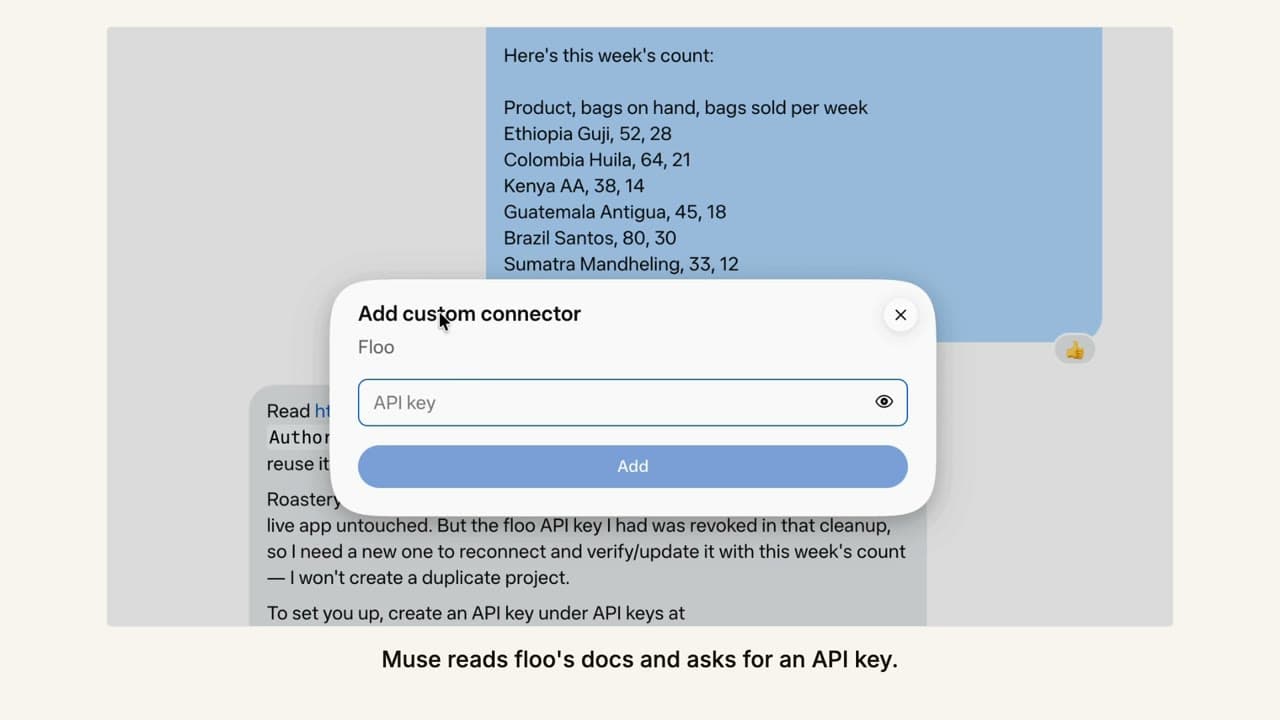
Paste the key into the Add custom connector dialog and click Add. The key goes into Muse's secret store; you do not paste it into the chat.
Step 4: Let Muse build it
Muse creates the app on floo, writes the code, and deploys it. floo hosts the repository, so you do not need a GitHub account. When it finishes, Muse sends the app's link and a summary of what it built.
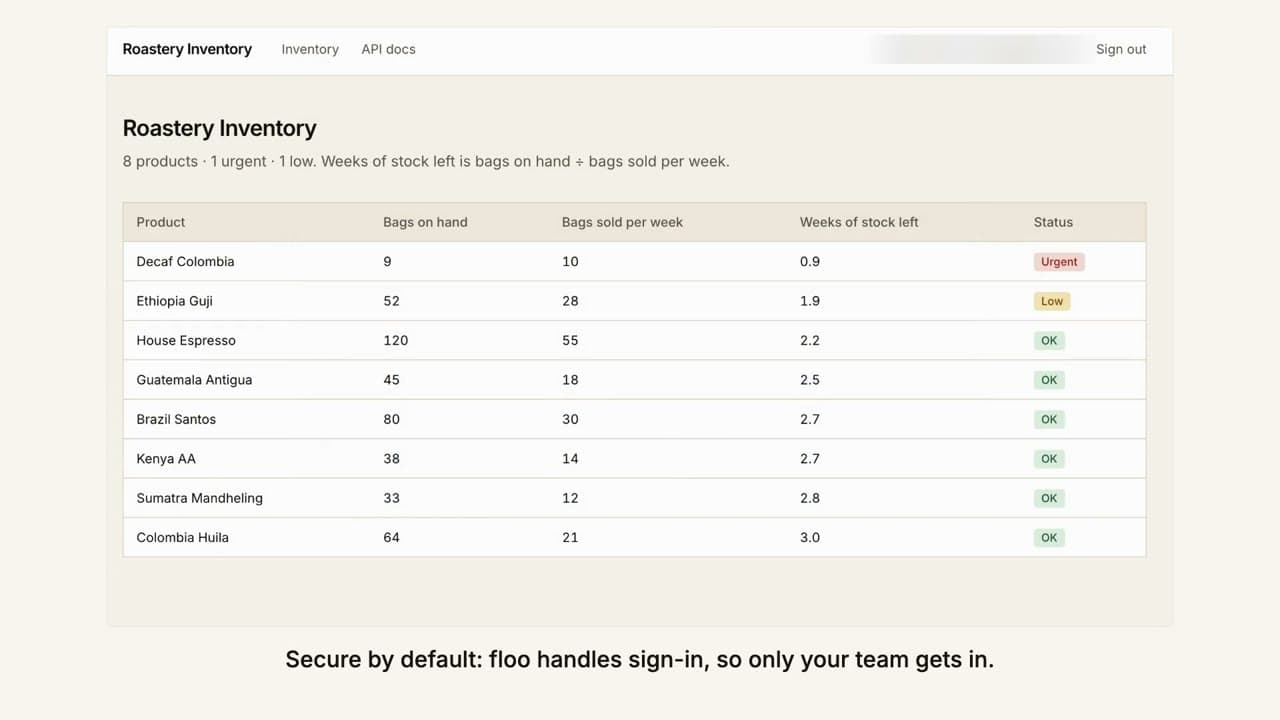
Open the link and sign in. floo's starter app ships with invite-only sign-in, so only the people you invite get in.
Step 5: Keep chatting
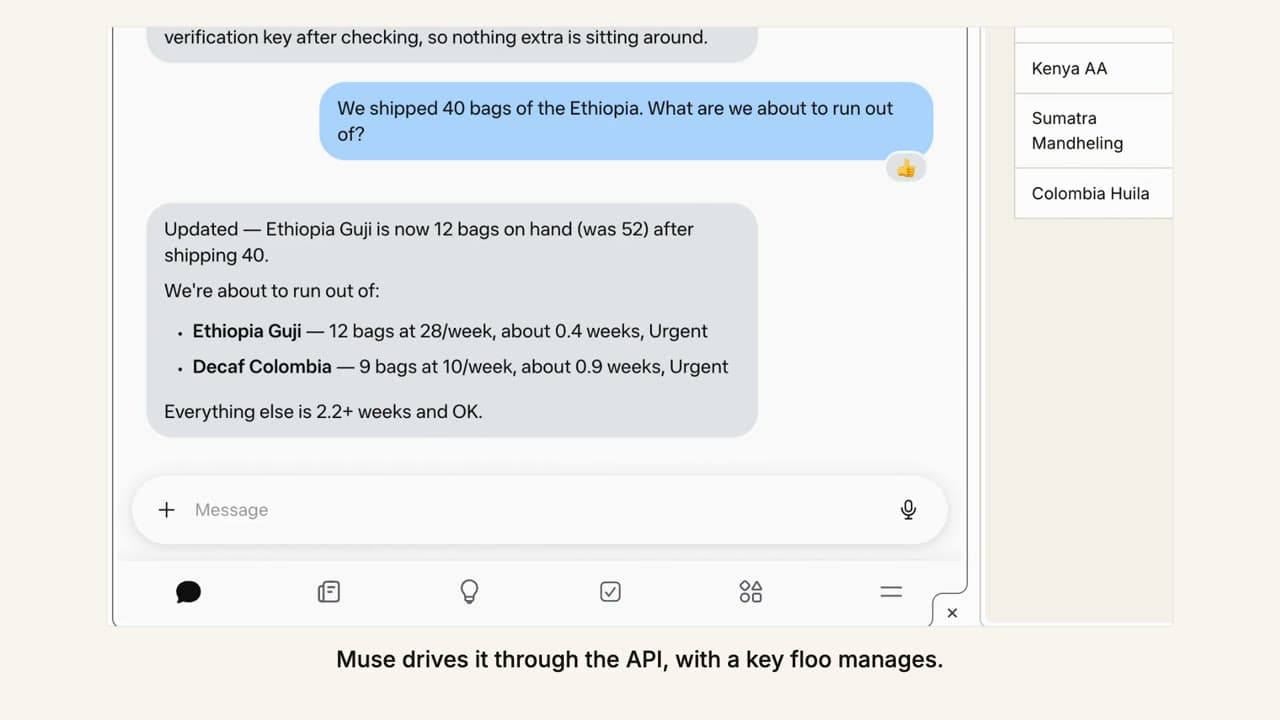
From here, talk to Muse instead of editing the app. In the example, the roaster says "We shipped 40 bags of the Ethiopia. What are we about to run out of?" Muse updates the stock through the app's API and answers from the live data.
What if something goes wrong?
- Muse says the key no longer works. It was revoked or replaced. Create a new key in floo settings and add it to Muse's floo connector again.
- Muse asks you to pay. floo answers with a link to finish payment. Complete it and tell Muse to retry.
- You want a change to the app. Ask Muse. It edits the code and floo redeploys it.
See the launch video in floo now works in Muse.
Frequently asked questions
What do I need before Muse can host an app on floo?
A floo account with payment set up, and a floo API key. Copy the key from the welcome page after signing up, or create one under API keys at app.getfloo.com/settings.
What should I tell Muse?
Start with: read https://getfloo.com/agents.md and set me up on floo. Then describe the app, who will use it, and any data to start with.
How do I change or revoke the key Muse uses?
Create a new key under API keys at app.getfloo.com/settings and replace the value in Muse's floo connector. Revoke the old key on the same page.
Who can open the app Muse builds?
floo's starter app ships with invite-only sign-in, so the people you invite use it in the browser while Muse works with it through its API.