
TL;DR
Day 282. We built the floo connector so you can build and deploy an app from Claude chat or Cowork, then use that app through Claude once it is running. floo hosts the code and gives Claude a way to read and change it without a terminal. The connector can also call an app’s API as the signed-in user, so Claude can work with the software it helped build.
A primer on floo
AI is making it possible for more people to build the software they need. floo is the platform that helps them turn those ideas into applications people can use.
We built floo from the ground up for a world where people and agents build together. Your agent can deploy an app, see how it’s running, and help improve it over time. Our goal is to make it easier for anyone to create and maintain software for their team, their customers, or themselves.
Why we built the connector
We think building software will become a normal part of more jobs. Someone who knows what their team needs should be able to describe an app, share it, and keep changing it as the work changes.
We built the connector around two parts of that job: build the app in Claude, then use it there.
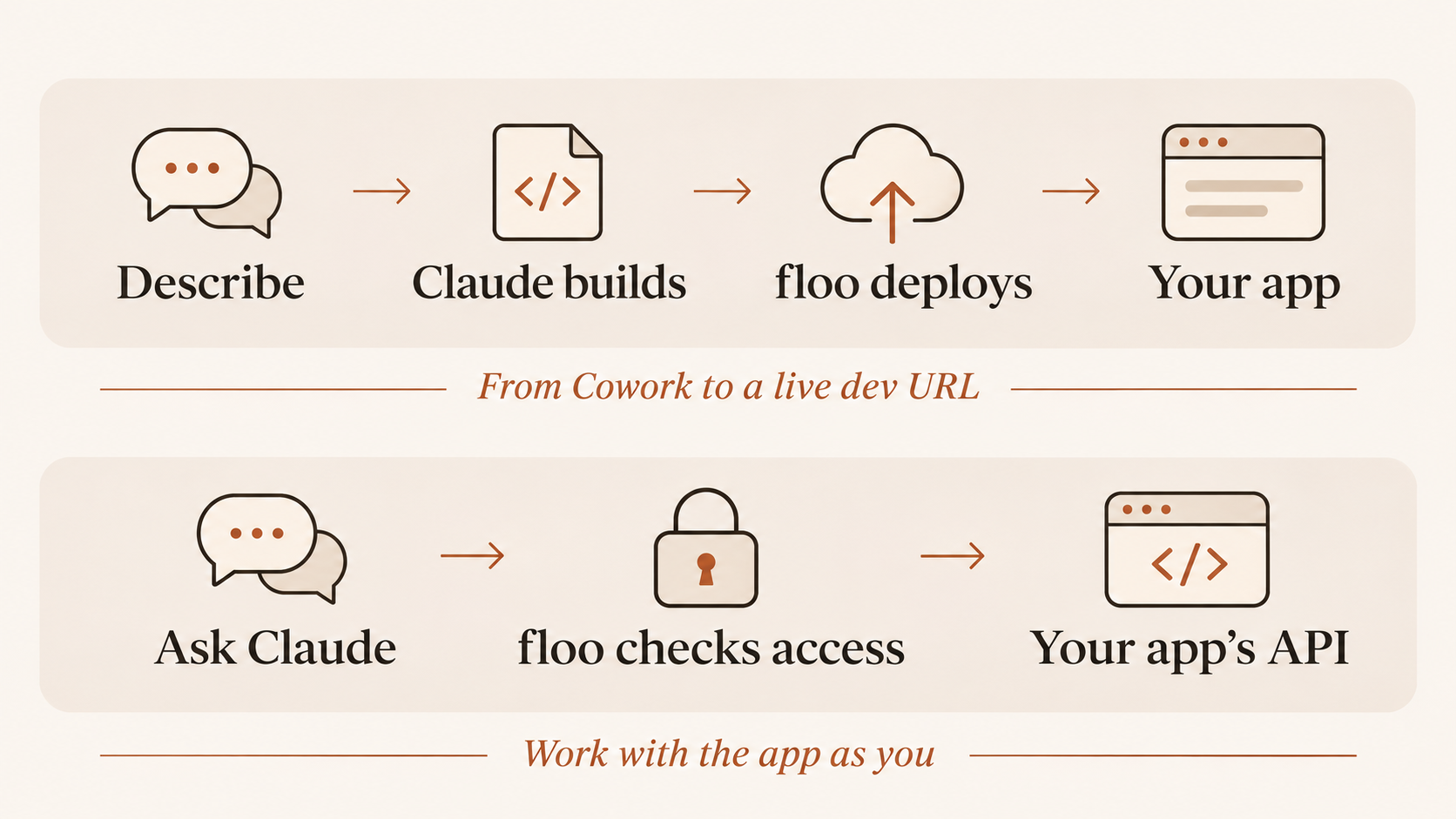
Build and deploy from Claude chat or Cowork
We want to make deploying software as easy as possible for non-technical people. Tools like Claude Code help people build apps, but setting up a GitHub repository or using a terminal is a barrier to entry.
Someone who has never set up a GitHub repository or used a terminal should still be able to describe what they need and get an app running from the Claude chat or Cowork interface they already use. The goal is to make the path from an idea to a deployed app simpler, without asking people to learn a new set of tools.
To make that possible, we built the floo connector to handle repository setup and deployment while Claude helps you build and change the app. Here’s how it works:
-
Go from an idea to an app without setting up GitHub. floo creates a private GitHub repository and starts deploying a starter, so you can begin building with Claude without a GitHub account.
-
Ask for changes instead of editing files yourself. Claude can list, read, write, and delete your app’s files through the connector. floo commits each set of changes together and deploys it to a dev URL, turning your requests into updates you can open and try without using a terminal.
-
Let Claude investigate failed deploys. Claude can check deployment status and read failure logs, so you do not have to investigate a failed deploy on your own. Once the app is running, you can try it and tell Claude what to change next.
Related changes land in one commit, so floo does not deploy half an update. Claude can also pass the version it read; if the code has changed since, floo refuses the stale write. These safeguards help keep each update together and prevent Claude from overwriting newer changes.
The payoff is a shorter path from describing what you need to trying software that does it. You can ask for a change in Claude, open the deployed update, and use what you learn to shape the next version without setting up a repository, editing files, or running terminal commands yourself.
Use your app in Claude with the same connector
When you build an app on floo, you can give it an API alongside its browser interface. floo secures access to the app, so your team can use it without you building a separate sign-in system.
That also gives Claude a way to work with the app.
Say you build an equipment request app. A teammate can open it in a browser to review requests. You can ask Claude, “Which requests are waiting for approval?” Claude can retrieve the answer through the connector by hitting the app’s APIs.
We built the connector to make this work across your floo apps:
-
Discover the app’s capabilities. Claude can search its API description to find available actions.
-
Call the app securely. Requests go through floo’s gateway and run as you, with your app membership checked.
-
Use the same connector. You do not need to build a separate MCP connector for each app.
The payoff is that the software you ship can work wherever your team needs it: in a browser for people, and in Claude when you want to work through a conversation.
Start building
Search for floo in Claude’s connector directory, connect your floo account, and describe the app you want to build. Once Claude shares the dev URL, open it, try the main actions, and tell Claude what you want to change.
We’re excited to see what you build.